
State the intent. The factory builds it.
Qontinui is an open-source software factory for your own codebase. A fleet of AI agents plans, implements, tests and lands changes in parallel, against a digital twin of your development process, so they answer their own questions instead of asking you.
Also available: macOS (coming soon) | Linux (coming soon) | Build from source
Deep Application Awareness Through UI Bridge
Unlike screen scrapers or DOM parsers, UI Bridge understands your application's React component tree. It sees what your users see — and more.
React Component Inspection
Inspects component props, state, and hierarchy across any React app — Next.js, Tauri, React Native.
Cross-Platform
Works on websites, desktop apps, and mobile apps. One tool for all your React frontends.
Automation & Interaction
Click, type, and interact with elements programmatically. Faster and more reliable than pixel-based approaches.
State Machine Integration
Model your application's states and transitions. Based on peer-reviewed research in model-based GUI automation.
Chrome Extension
Lightweight extension for element discovery and screenshots in external browser tabs.
AI-Powered Feedback
AI agents use UI Bridge to verify their changes actually work — they see the real application, not just code.
Build, execute, and monitor AI development workflows from your browser
Your AI, Your Rules
Bring your own API key. No subscriptions to third parties. No unauthorized access. Just direct, compliant integration with the providers you choose.
Claude
Claude Code CLI or API key. Use your subscription or pay-per-token.
Gemini
Gemini CLI with OAuth or API key. Free tier available.
More Coming
Open architecture. Adding new providers is straightforward.
Switch providers without changing your workflows. Your automations aren't locked to any single vendor.
Built for AI-Assisted Development
Orchestrated Workflows
Multi-phase AI sessions with setup, agentic, verification, and completion stages. Not just a chat interface.
Self-Correcting AI
Verification loops catch mistakes automatically. AI checks its own work before moving on.
Error Monitoring
Watches your application logs in real-time. Detects errors and triggers AI to fix them automatically.
UI Bridge Feedback
AI sees your running application through deep React inspection. Verifies changes visually, not just syntactically.
Persistent Knowledge
AI builds knowledge across sessions. Findings, contexts, and patterns persist and compound over time.
Test Verification
Built-in Playwright and UI Bridge testing. AI writes and runs tests to verify its changes work.
How the factory works
You state intent and review outcomes. Everything in between is done by agents, and each step leaves a record the next agent can read.
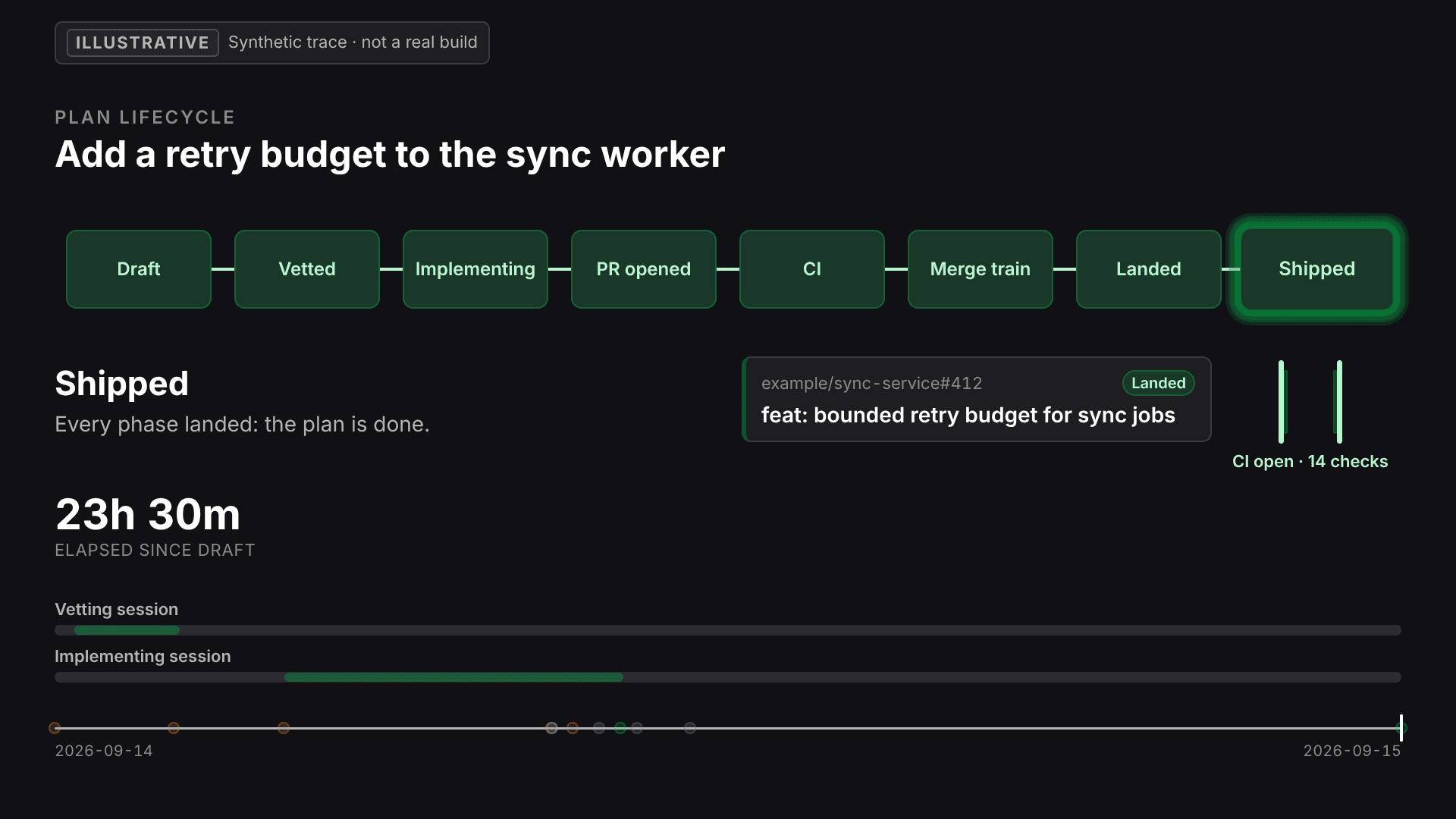
Plan lifecycle
One plan, from draft to shipped, every step recorded.
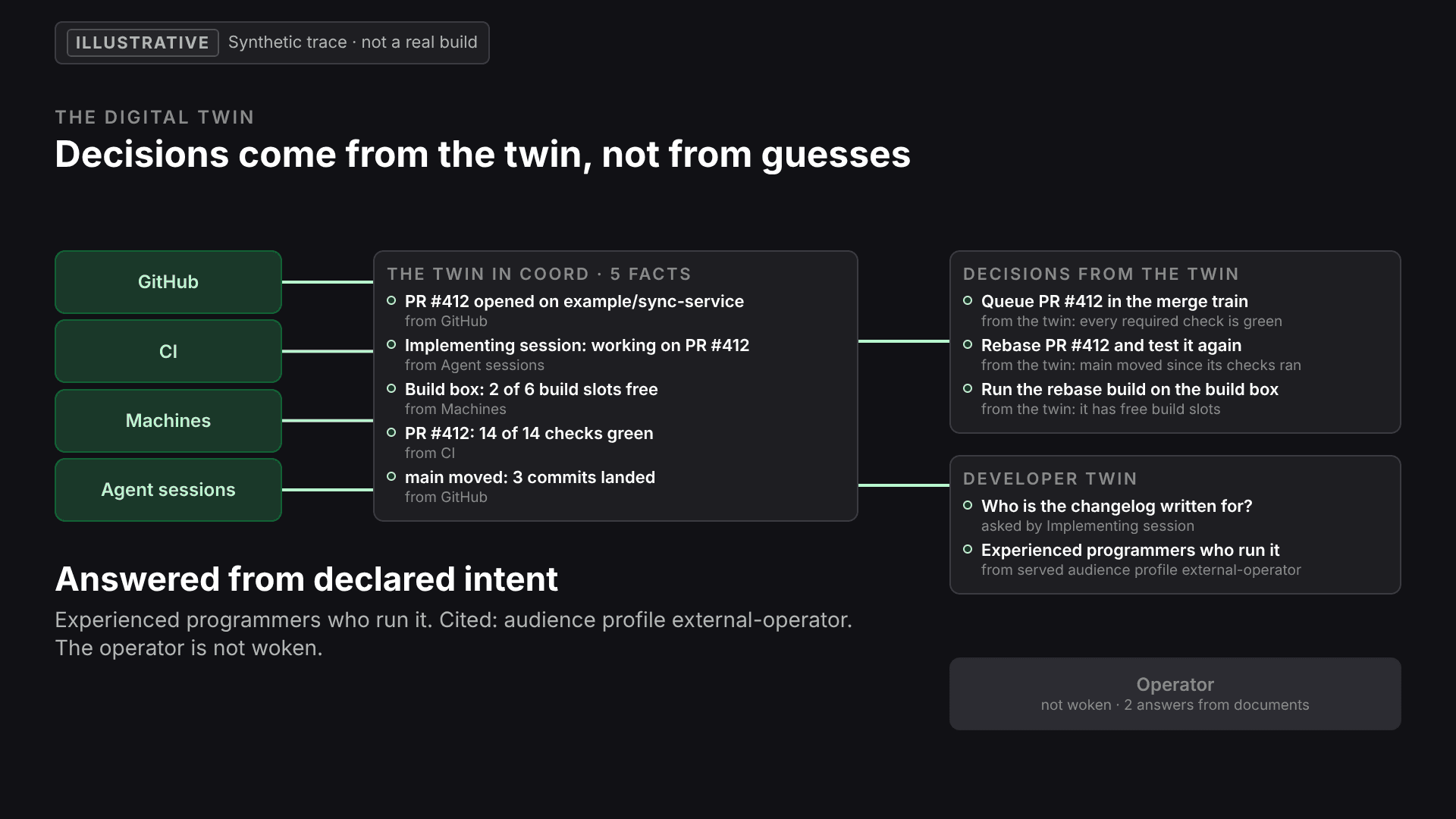
The digital twin
Agents ask the twin instead of asking you.
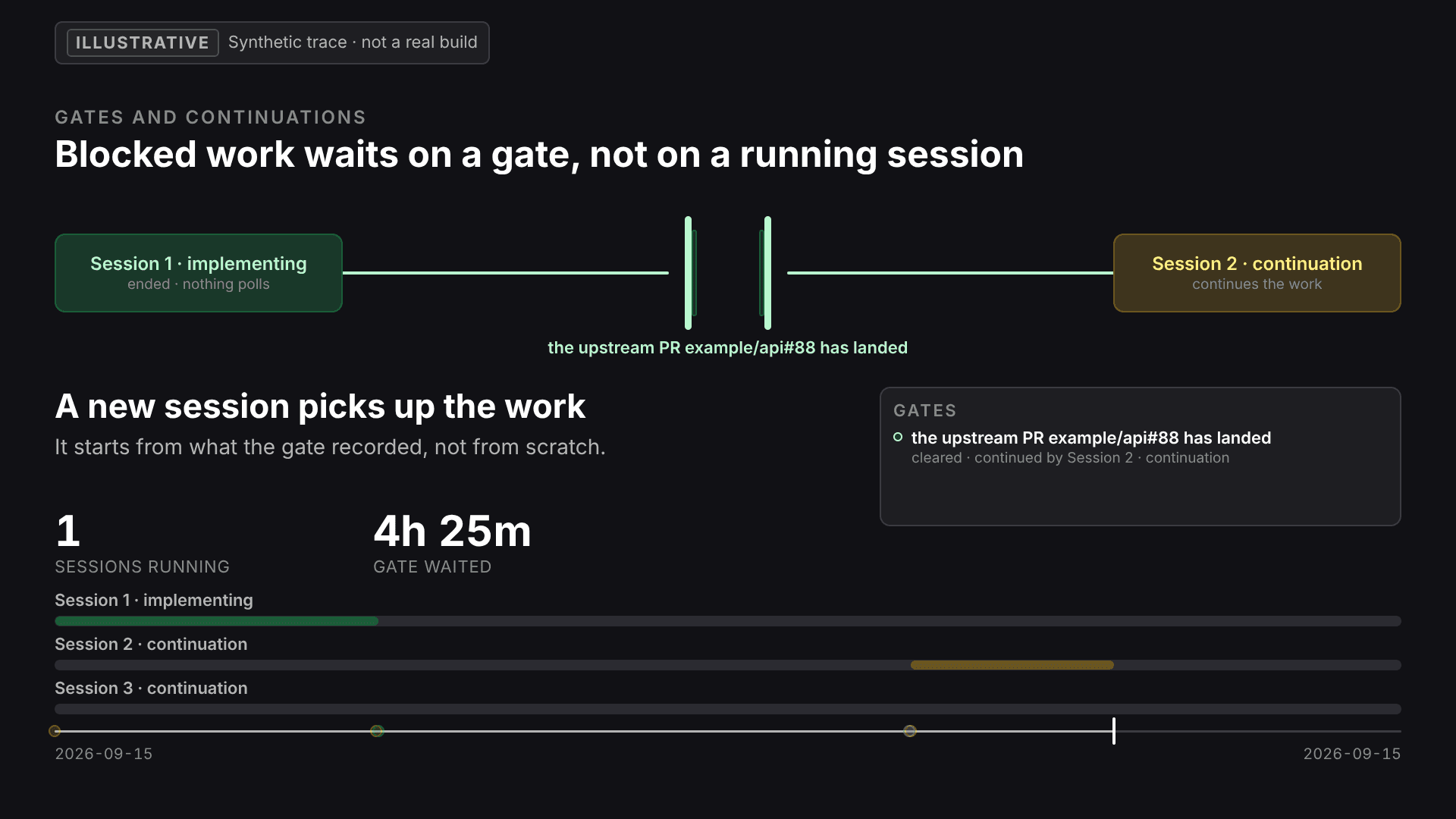
Gates and continuations
Blocked work waits on a condition, not on a person.
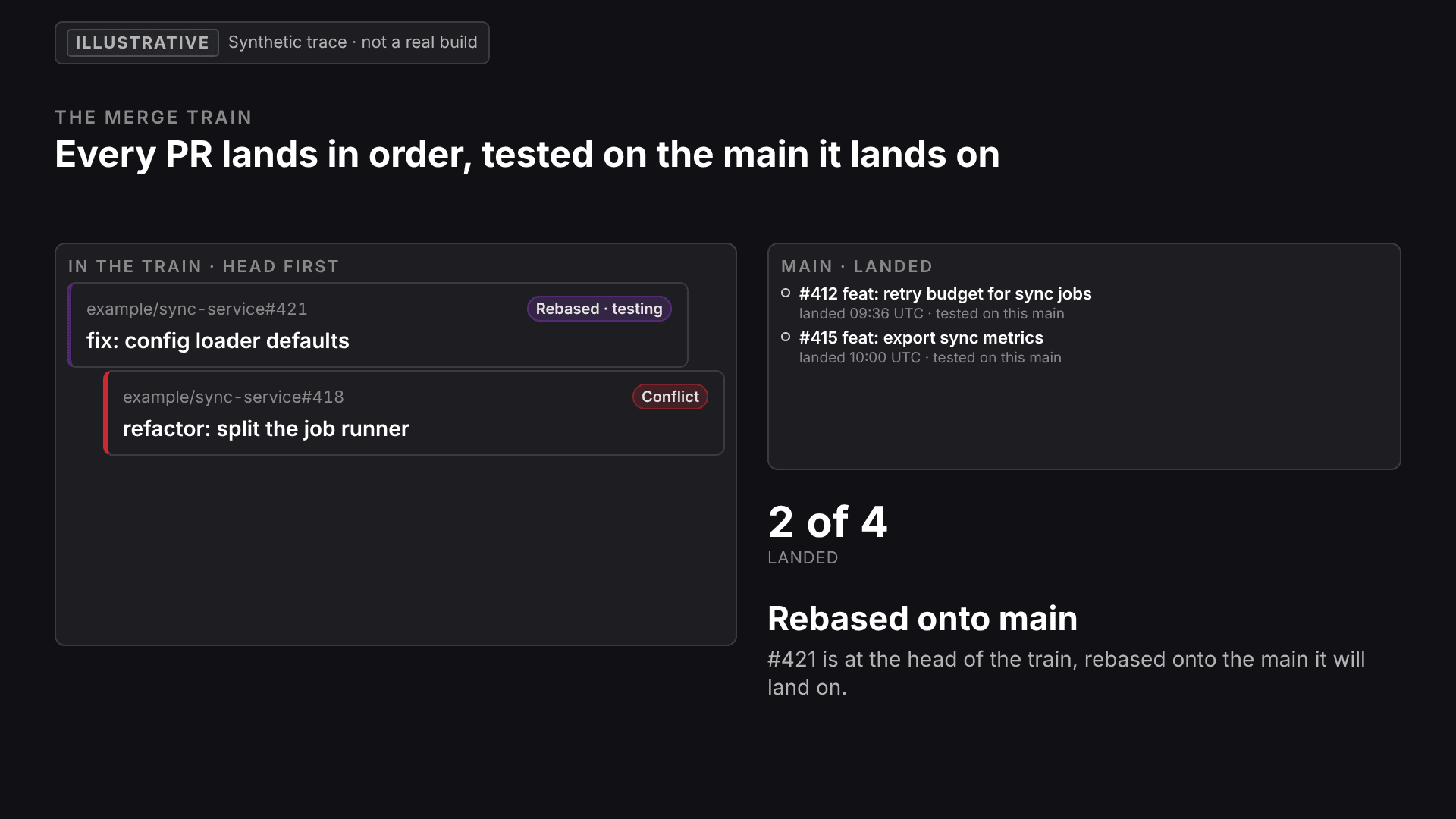
The merge train
Many pull requests, landed in order.
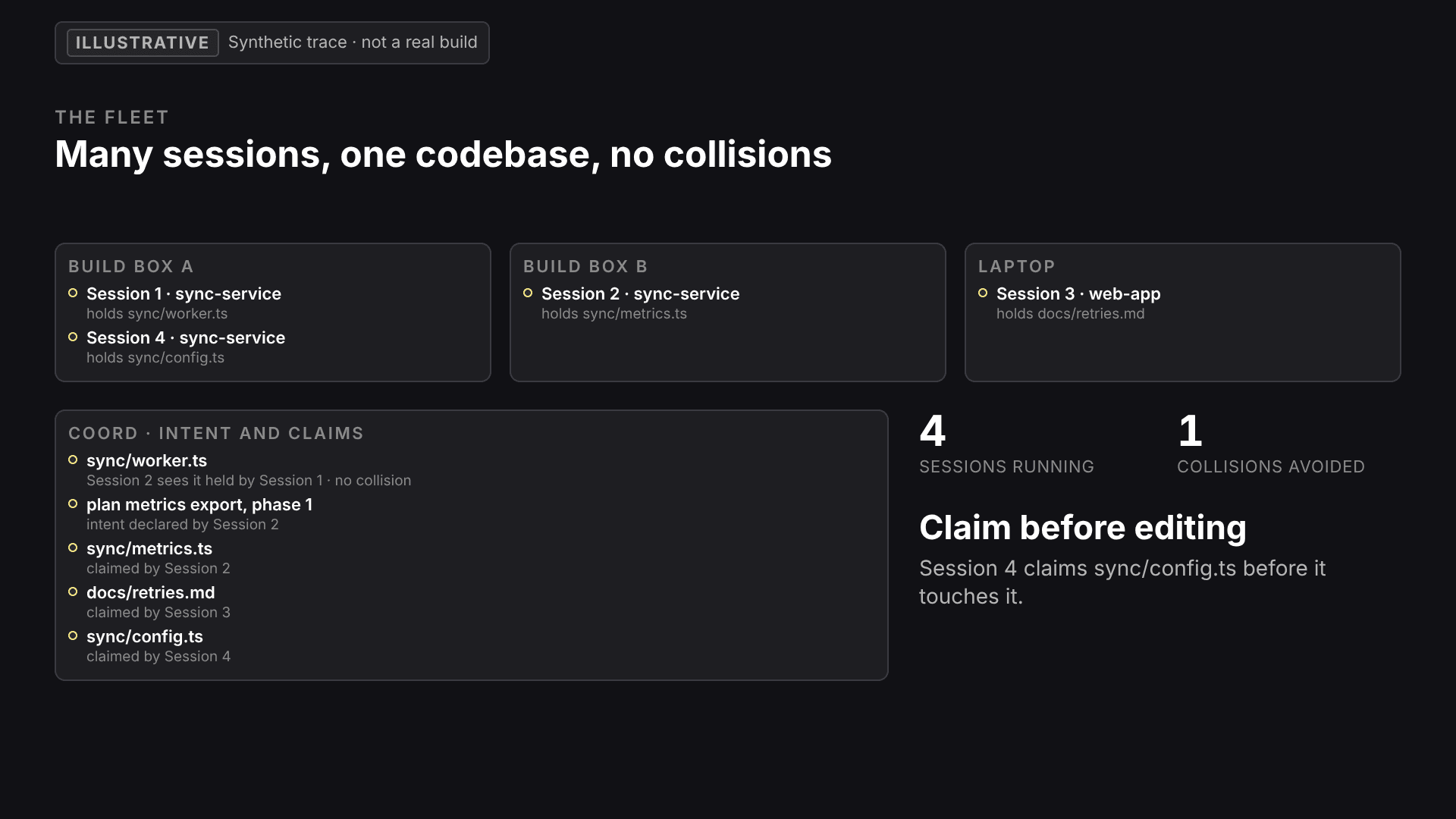
The fleet
Many sessions on many machines, without collisions.
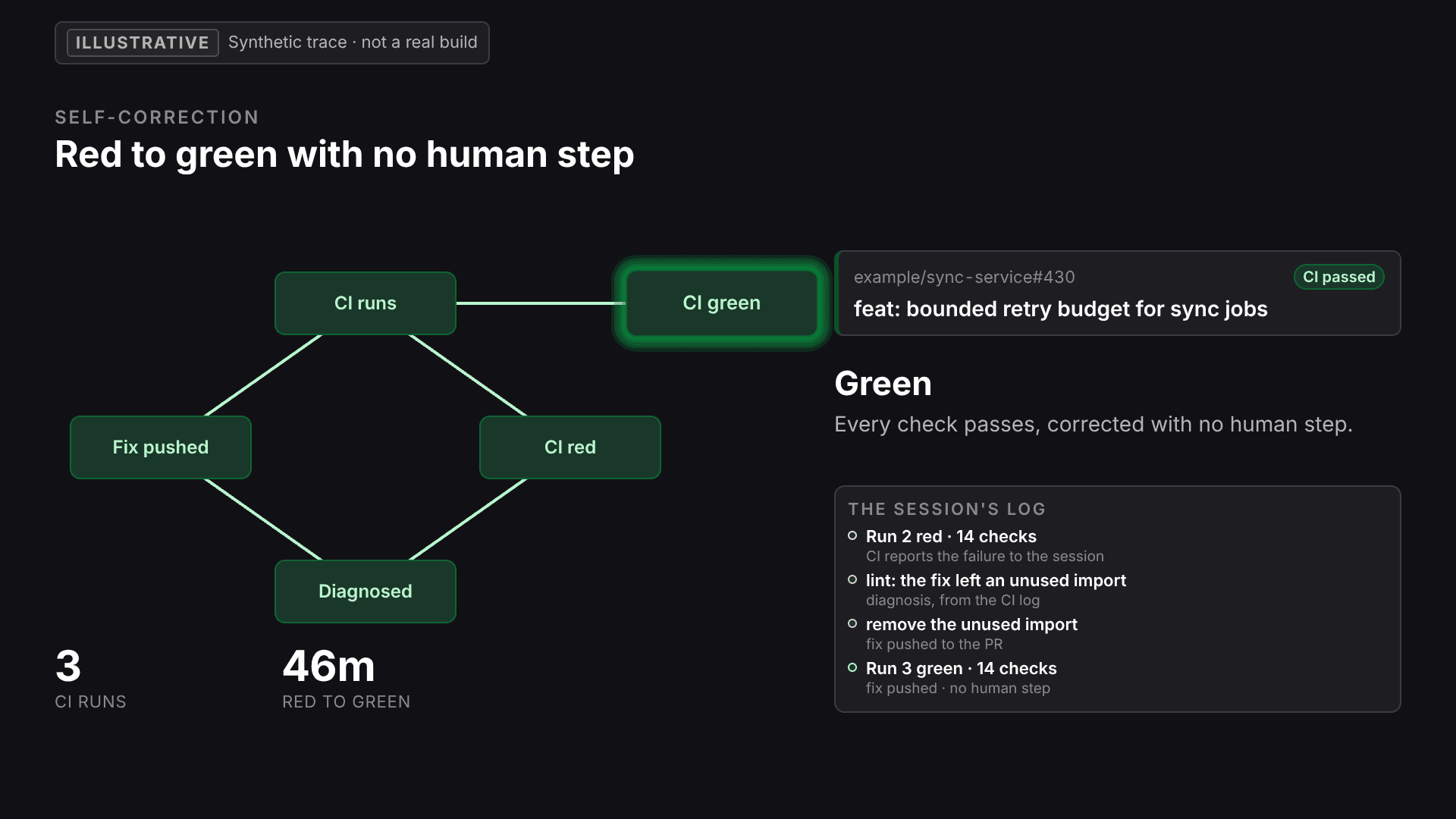
Self-correction
Red CI is diagnosed and fixed by the agent itself.
The animations are illustrative: hand-authored runs, not recordings.
Beyond Basic AI Coding Tools
Raw CLI Tools
- Single-shot prompts
- No verification
- No error monitoring
- No persistent knowledge
- Locked to one provider
- No visual feedback
Qontinui Runner
- Orchestrated multi-phase workflows
- Automatic verification loops
- Real-time error monitoring
- Persistent knowledge base
- Multi-provider support
- UI Bridge visual feedback
Built on Published Science, Open to Everyone
Based on peer-reviewed research published in Springer's Software and Systems Modeling journal (2025).
Peer-Reviewed Foundation
Published in Springer SoSyM — the first mathematically-proven approach to GUI automation that reduces complexity from exponential to polynomial growth.
Read the PaperOpen Source
The runner, UI bridge, multistate framework, and core libraries are freely available on GitHub. Contribute, fork, or build on top.
Ready to Try It?
Download Qontinui Runner and start building AI-assisted development workflows today.
All download options | Windows 10+, 64-bit, 200 MB disk space